A New Chapter for KindMind
After more than a decade of helping people journal, we've completely rebuilt KindMind from the ground up. New design, new features, and a privacy upgrade that changes everything. If you've been using KindMind classic, this article is for you.
What's new
The core of KindMind hasn't changed. It's still a clean, quiet space to write what you feel. But the new version adds powerful tools that help you go deeper.
- Zero-knowledge encryption. Your entries are now encrypted on your device before they ever leave your browser. Not even we can read what you write. This is the same approach used by Proton Mail and Signal. Learn how it works.
- A journal that flows. Your journal is now one never-ending page. Write today at the bottom, and your history scrolls upward behind it. No folders, no friction, just an unbroken record of your life.
- Your guide.A thoughtful AI companion in one continuous conversation. Talk through what's on your mind, process emotions, and challenge stuck thinking. The AI runs through a secure proxy so your plaintext never touches our servers.
- AI memory. Turn on awareness and your guide quietly remembers what matters across your entries over time. Fully encrypted, and easy to turn off whenever you like.
- A fresh, modern design. Light and dark themes, a cleaner layout, and a faster experience overall.
Why you need to migrate
Because the new version uses zero-knowledge encryption, your data needs to be re-encrypted with keys that only you control. We can't do this automatically. You'll download your data from KindMind Classic, then upload it into the new version where it gets encrypted on your device.
The whole process takes about five minutes. Here's exactly how it works.
How to migrate: step by step
When you log into KindMind Classic, you'll see a modal walking you through the process. Here's what to expect.
Step 1: The announcement
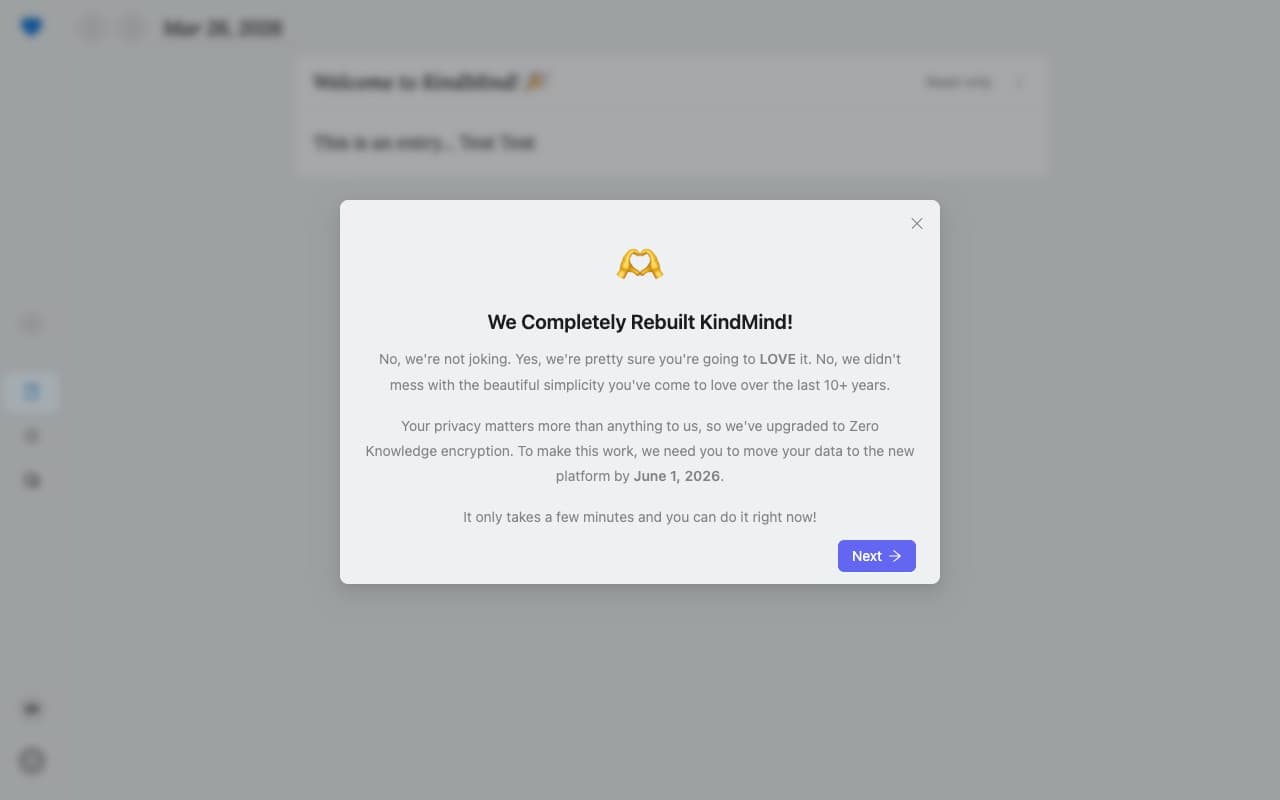
After logging in, you'll see a message explaining that KindMind has been rebuilt and your data needs to move to the new platform by September 1, 2026. Click Next to continue.
Step 2: Your thank-you reward
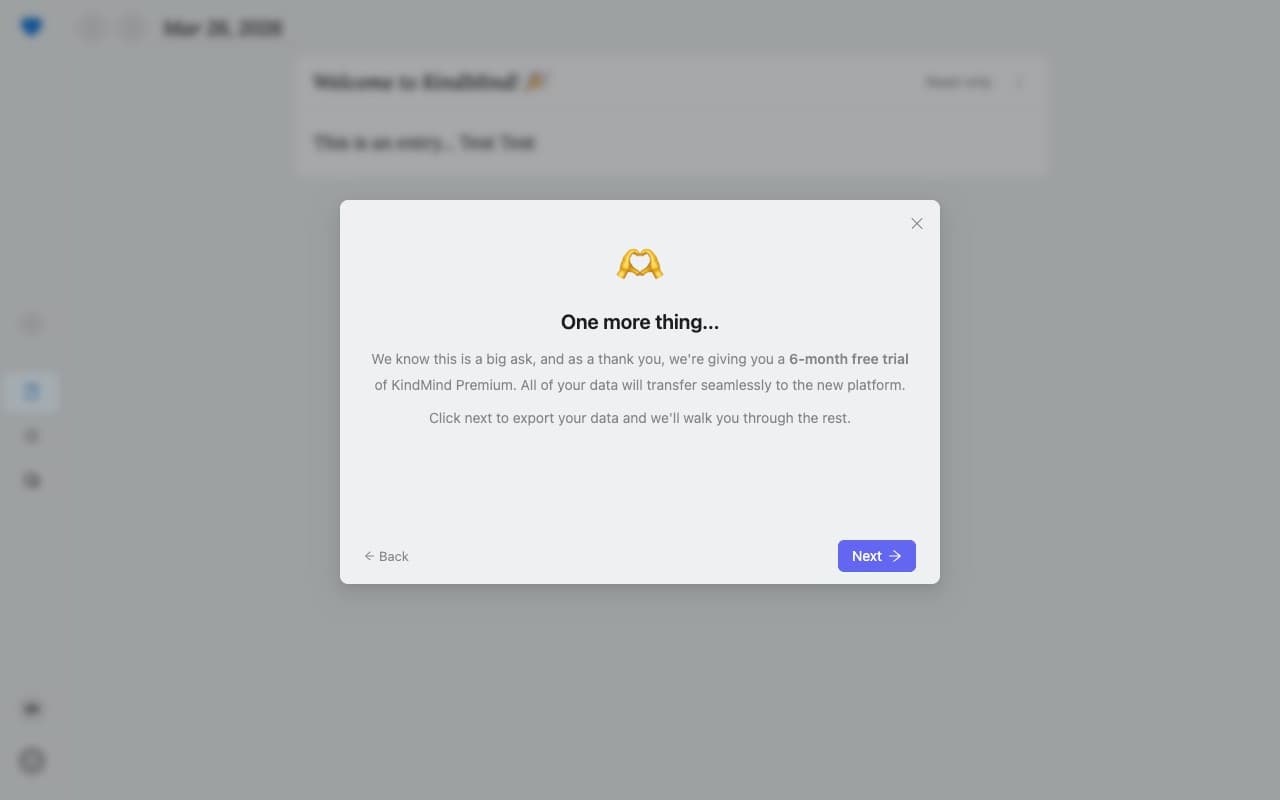
As a thank you for migrating, free users receive a 3-month trial of KindMind Premium. If you already have a Premium subscription, we'll add 3 free months to the end of it. Click Next to continue.
Step 3: Download your data
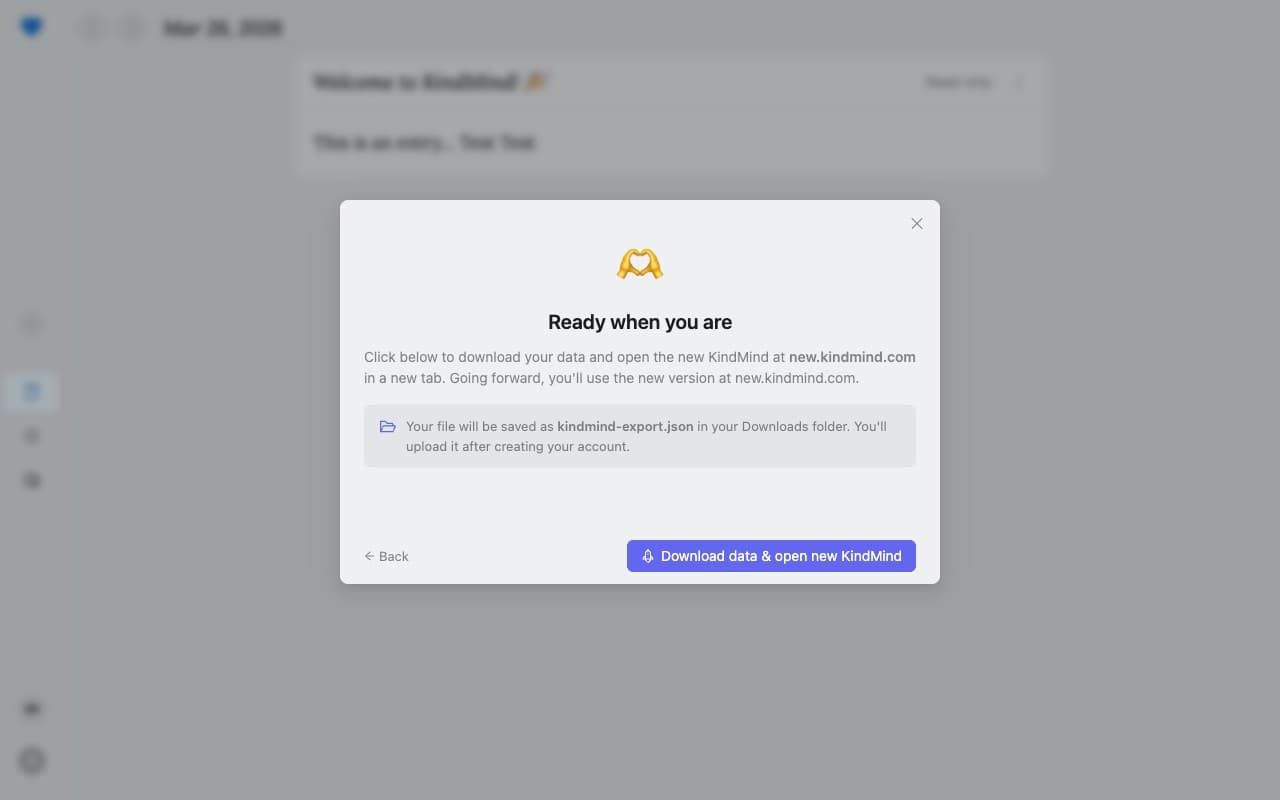
Click the purple button to download your data as a kindmind-export.json file and open the new KindMind in a new tab. The file will be saved to your Downloads folder.
Step 4: Create your account on the new KindMind
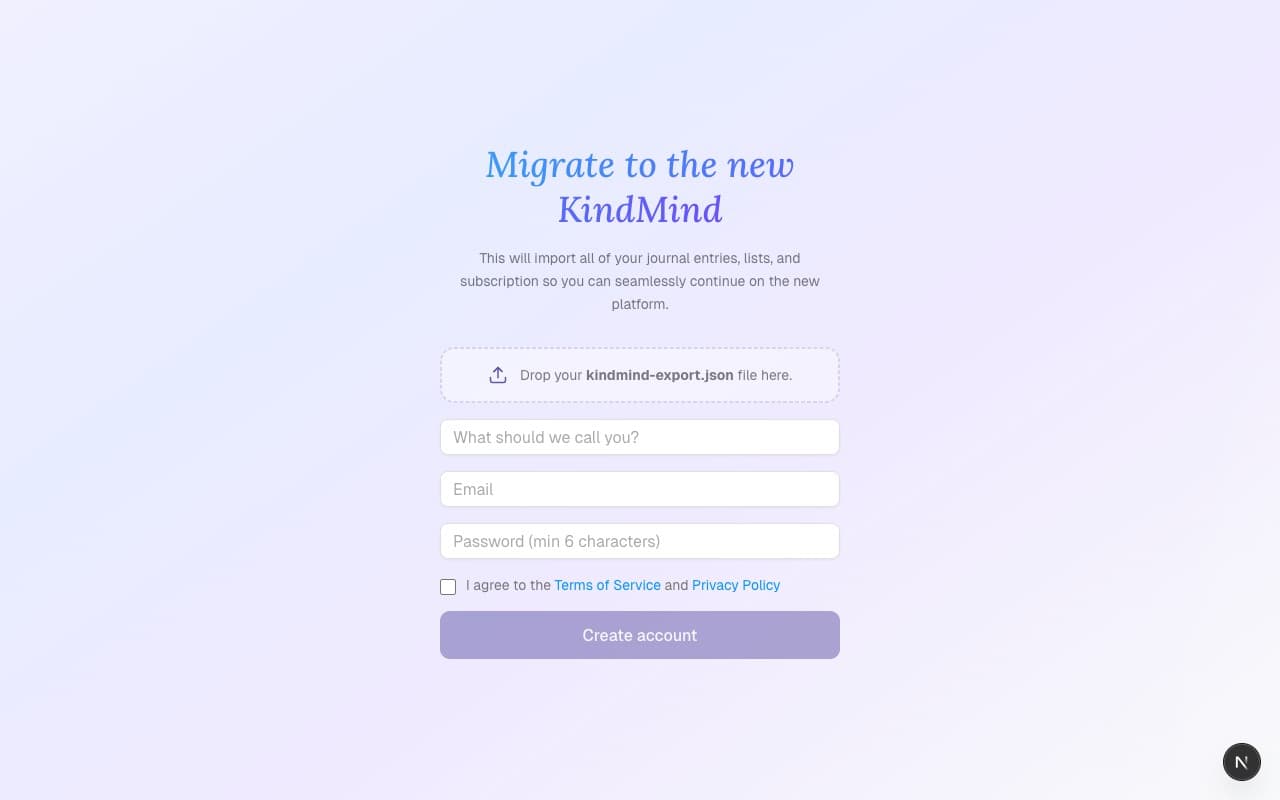
On the new KindMind, you'll create a fresh account and drop in the export file you just downloaded. Fill in your name, email, and a password, then follow the prompts.
Step 5: Save your recovery key
Because your data is now encrypted with a key only you hold, you'll be given a recovery key. This is your backup in case you ever forget your password. Save it somewhere safe. If you lose both your password and this key, your data cannot be recovered. That's how zero-knowledge encryption works.
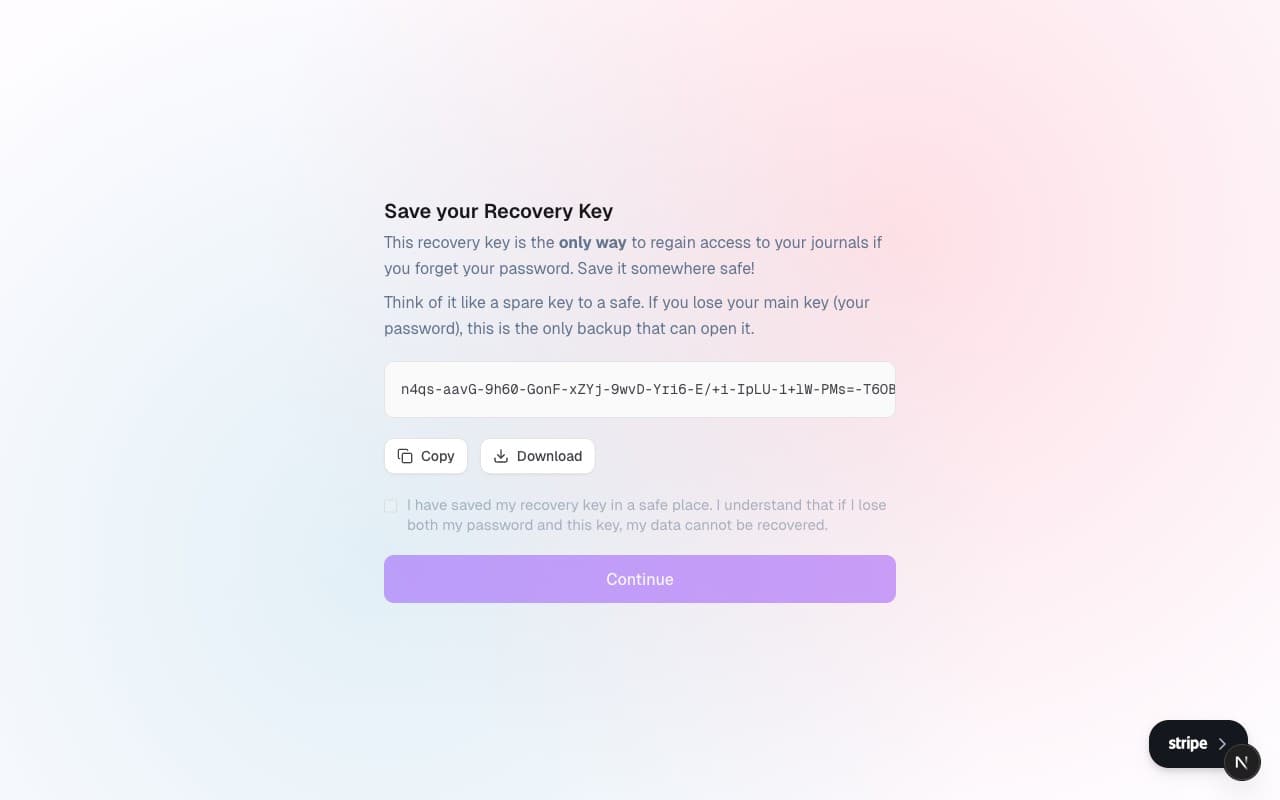
After saving your recovery key, your journal entries and subscription will be imported and encrypted automatically. (Lists stay behind, since the new KindMind doesn't have lists.) You'll be redirected to your new journal, ready to go.
A few things to know
- The migration deadline is September 1, 2026. After that date, KindMind Classic will be retired.
- Your data stays in KindMind Classic until you migrate. Nothing is deleted until you're ready.
- Going forward, KindMind lives at new.kindmind.com. Once the migration is complete, it will move to www.kindmind.com.
- If you run into any issues, reach out to us at hello@kindmind.com.
We're really proud of what we've built, and we think you're going to love it. Thank you for being part of this beautiful community!