It All Comes Together
Your journal and your Guide aren't two separate tools that happen to share a login. They're one experience: what you write becomes real context for every conversation, and every conversation deepens what KindMind understands about you. Here's how that works, and why it stays private the whole way through.
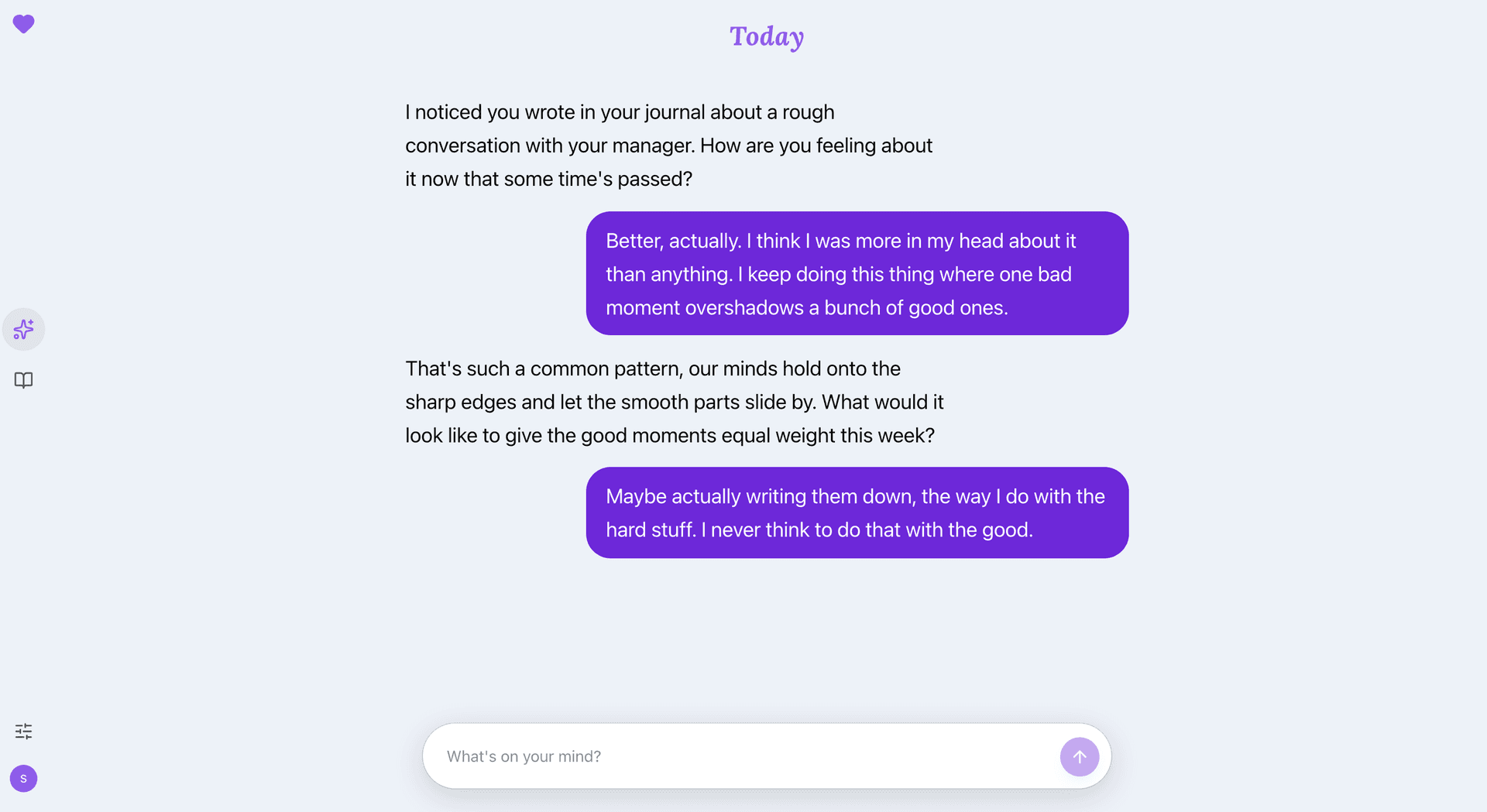
Your Guide, picking up something you wrote in your journal a few days earlier.
You only have to say it once
Most reflection tools have a memory problem. Your journal knows one version of you, your chat app knows another, and neither talks to the other, so you end up re-explaining yourself to a blank screen. In KindMind, writing it down once is enough. A hard week you journaled about is something your Guide can gently pick up days later, without you having to bring it up.
How AI awareness works
AI awareness is the bridge, and it's opt-in. When you turn it on, KindMind periodically distills what matters from your journal entries and Guide conversations into a compact memory: recurring themes, things you're working on, what helps. That memory is encrypted with your key, just like everything else you write. Then, when you open a conversation, your Guide starts with that context already in hand.
The result is a Guide that can say “this keeps coming up when you write about work” and actually mean it. Not because it read your mind, but because you already told it, in your own words, on your own pages.
Private the whole way through
None of this loosens KindMind's zero-knowledge encryption. Your journal entries, your Guide messages, and the memory built from them are all encrypted on your device with a key only you hold. We can't read any of it. When your Guide needs AI to respond, your words travel through an isolated proxy straight to our AI provider and are never stored along the way.
See exactly how AI stays private →Always yours to turn off
AI awareness has one switch, in your settings, and it's yours. Turn it off and your Guide stops drawing on your journal entirely. Your journal stays a journal, your Guide stays a thoughtful conversation, and both are still fully yours. The integration is there when you want depth, and out of the way when you want quiet.
Ready to start?
14-day free trial · No credit card required